PAX A35 Device Connection Guide
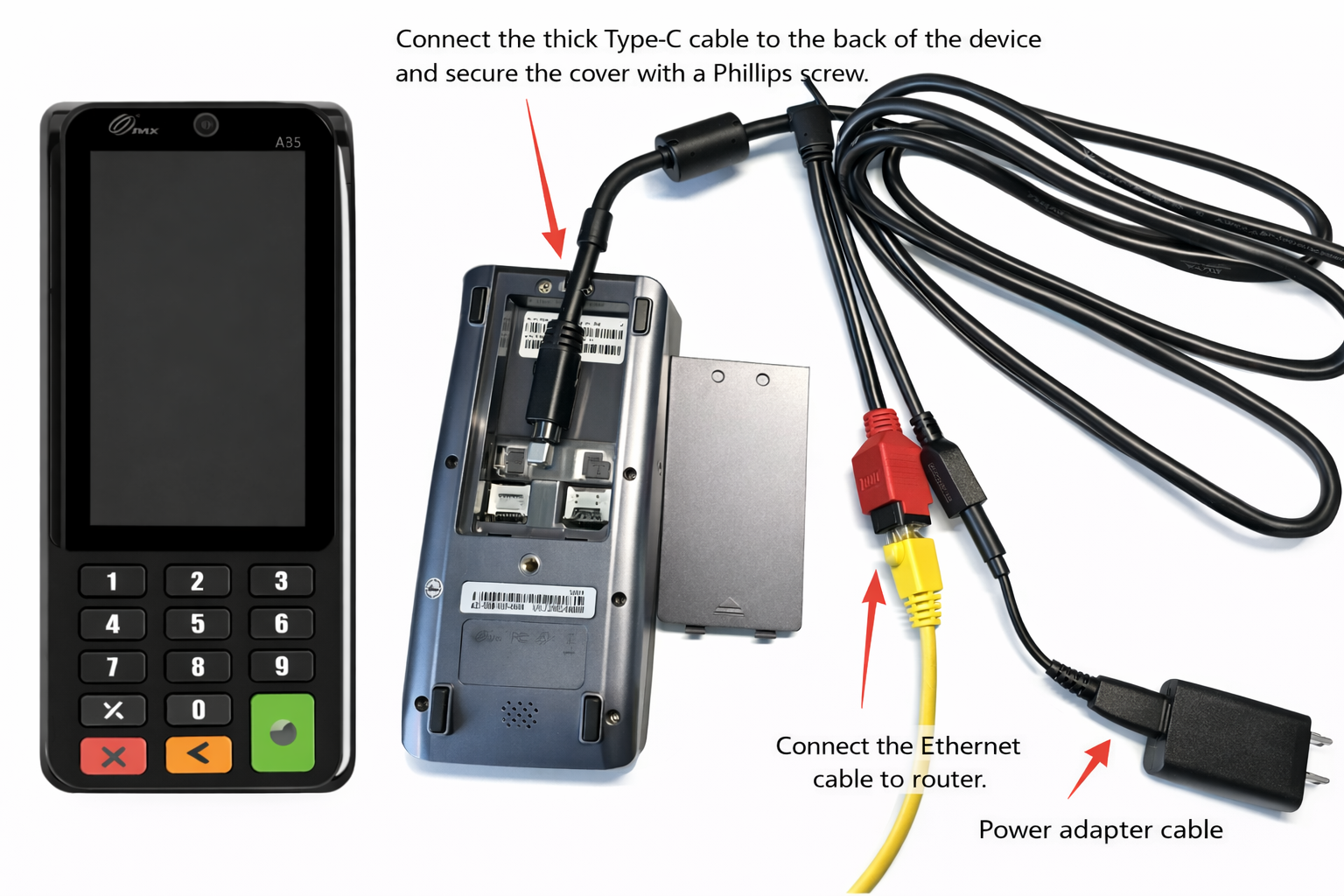
Step 1:
Open the package and confirm the following items are included:
- PAX A35 payment terminal
- Type-C power cable and power adapter
- Connection cable (hub cable)
Step 2:
Use a Phillips screwdriver to open the back cover of the terminal.
Connect the thick Type-C cable to the power port on the back of the device,
then close the cover and tighten the screws.
Step 3:
Use an Ethernet cable to connect to the red LAN port on the connection cable,
then connect the other end to a router or network switch.
Step 4:
Plug the Type-C connector from the power cable into the Type-C port on the connection cable.
Step 5:
After all connections are completed, the device will power on automatically.
Once powered on, please contact Beyond Menu Technical Support
for system configuration and testing.
PAX S300 Device Connection Guide
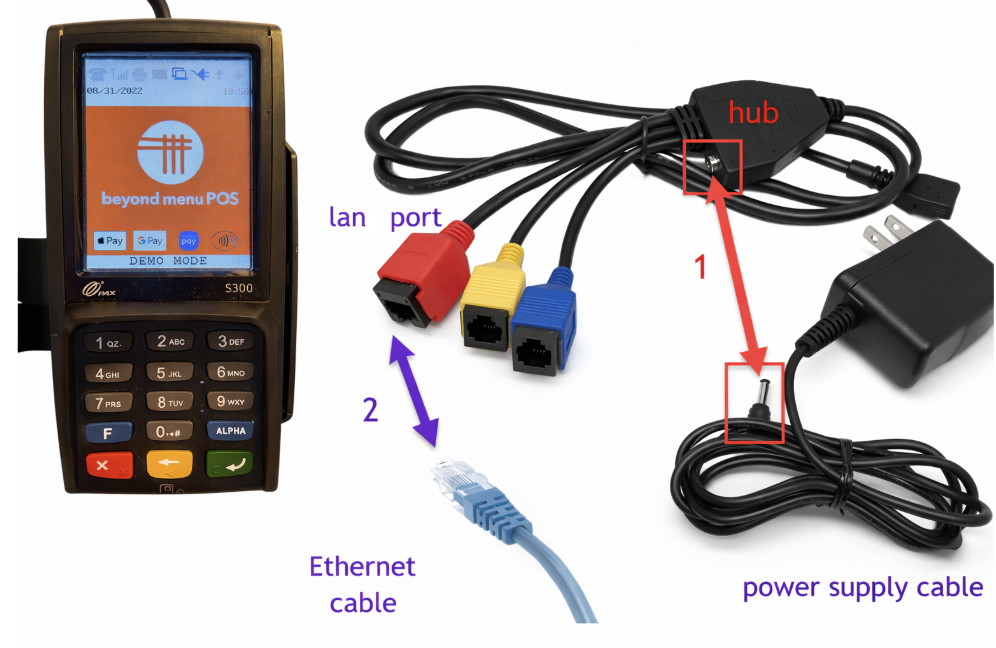
Step 1:
Open the package and confirm the following items are included:
- PAX S300 payment terminal
- Power cable
- Connection cable (hub cable)
Step 2:
Use an Ethernet cable to connect to the red LAN port on the connection cable,
then connect the other end to a router or network switch.
The blue and yellow ports are not used and should not be connected.
Step 3:
After connecting the power cable, the device will power on automatically.
Once the device is powered on, please contact Beyond Menu Technical Support
for system configuration and testing.