PAX A80 Device Connection Guide
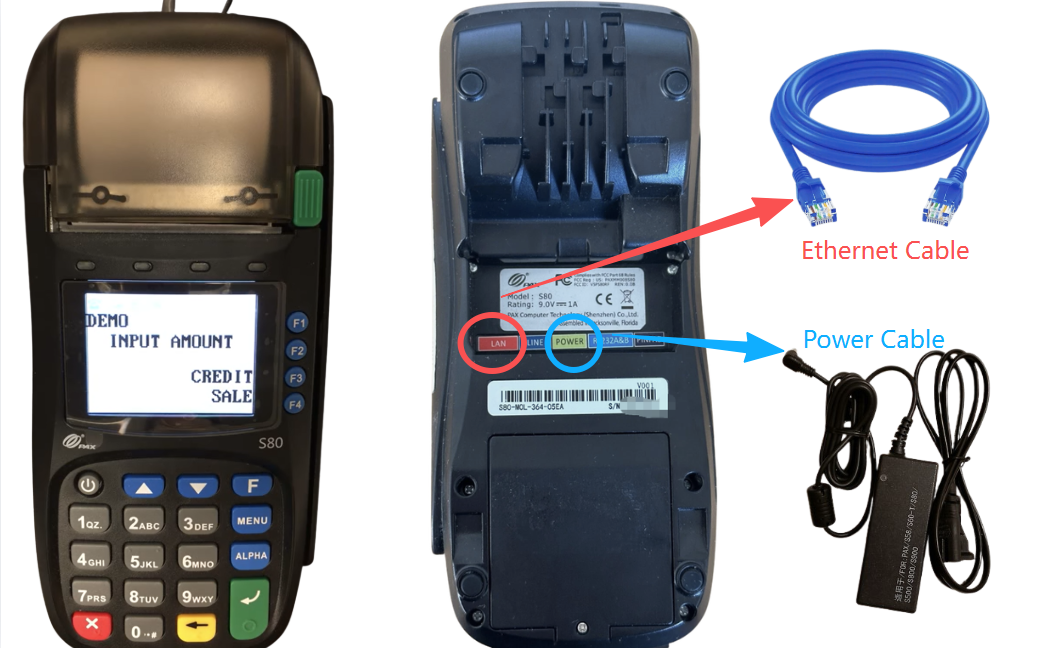
Step 1:
Open the package and confirm the following items are included:
- PAX A80 payment terminal
- Power adapter
- Power cable
Step 2:
Use an Ethernet cable to connect the LAN port on the back of the terminal
to a router or network switch.
Step 3:
Connect the power cable and turn on the device.
Once powered on, please contact Beyond Menu Technical Support
for system configuration and testing.