Caller ID Modem Connection Guide
The Caller ID Modem allows incoming phone numbers to be detected and displayed in the POS system.
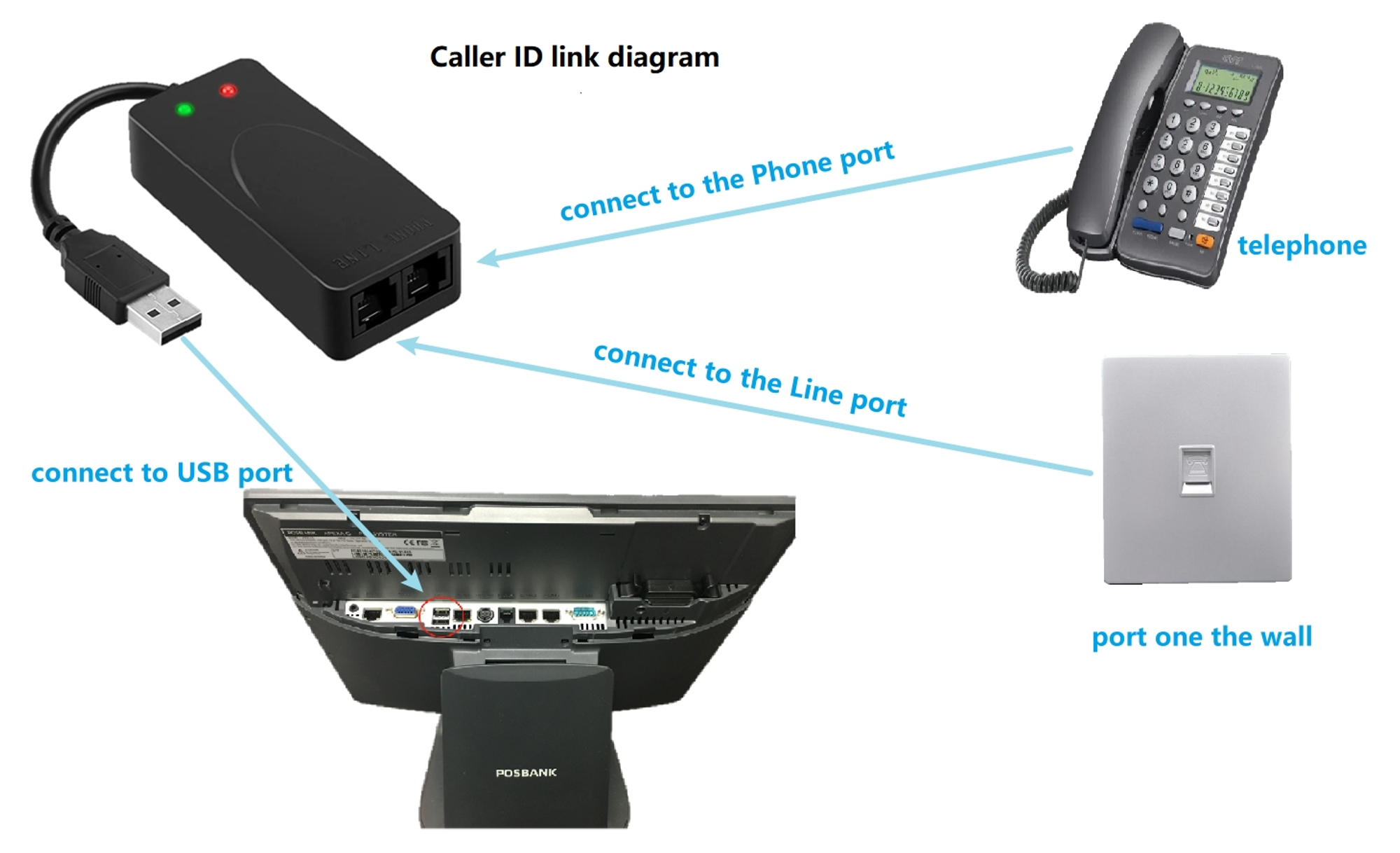
Connection Steps
Step 1: Connect the Telephone
Use a phone cable to connect the Phone port on the Caller ID Modem to the telephone.
Step 2: Connect the Wall Line
Use a phone cable to connect the Line port on the Caller ID Modem to the wall phone jack.
Step 3: Connect to the POS Computer (USB)
Plug the USB cable from the Caller ID Modem into a USB port on the POS computer.
After Connection
- The Caller ID Modem sits between the telephone and the wall phone line
- All incoming calls pass through the Caller ID Modem before reaching the POS system
- After hardware setup, please contact Beyond Menu Technical Support to configure and test the Caller ID feature