Guest Receipt Printer Setup
🎥 Video Guide
Click to view video Guide
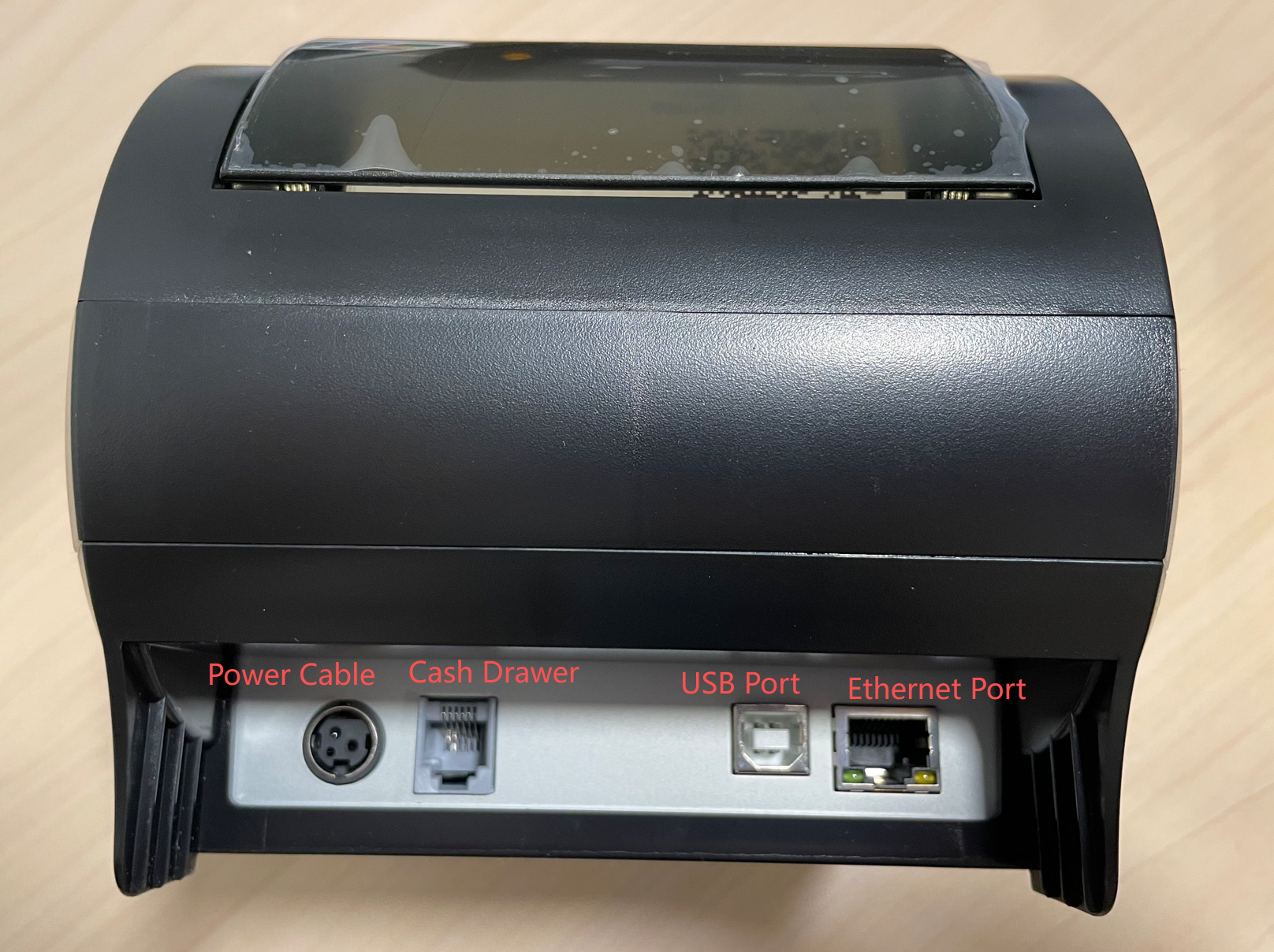
1. Connect the Power
- Check the ports on the back of the printer
- The round black port is the power port
- Connect the power cable and plug it into a wall outlet
2. Cash Drawer Port (Optional)
- The small gray port (similar to a phone jack) is for the cash drawer
- If no cash drawer is used, this port can be ignored
3. Connect to the Computer (USB)
- The small silver port with a white pin inside is the USB port
- Use a USB cable to connect the printer to the computer
4. Power On
- Locate the power switch on the front or side of the printer
- Turn on the printer
5. Handle Alert Beeping
- If the printer makes a continuous beeping sound after powering on
- This indicates Out of Paper
- Load receipt paper and the beeping will stop
6. POS Software Setup
- After hardware setup is complete
- Contact Beyond Menu Technical Support
- Support will add and configure the printer in the POS system